Blender Cycles Fast Render Checklist
Hadouin • • Tutorials
#blender#cycles#3d#rendering
A short checklist I run through before hitting render in Cycles. Nothing fancy, just the settings that consistently give me the best speed-to-quality tradeoff.
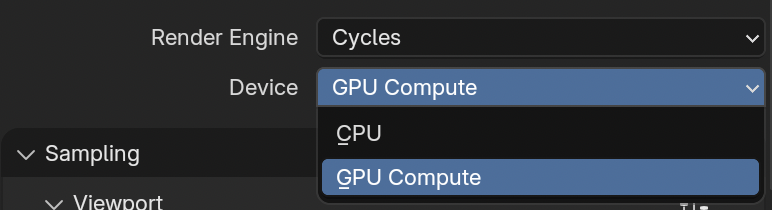
GPU Compute
Set the render device to GPU Compute. CPU is only worth it if you have no usable GPU.
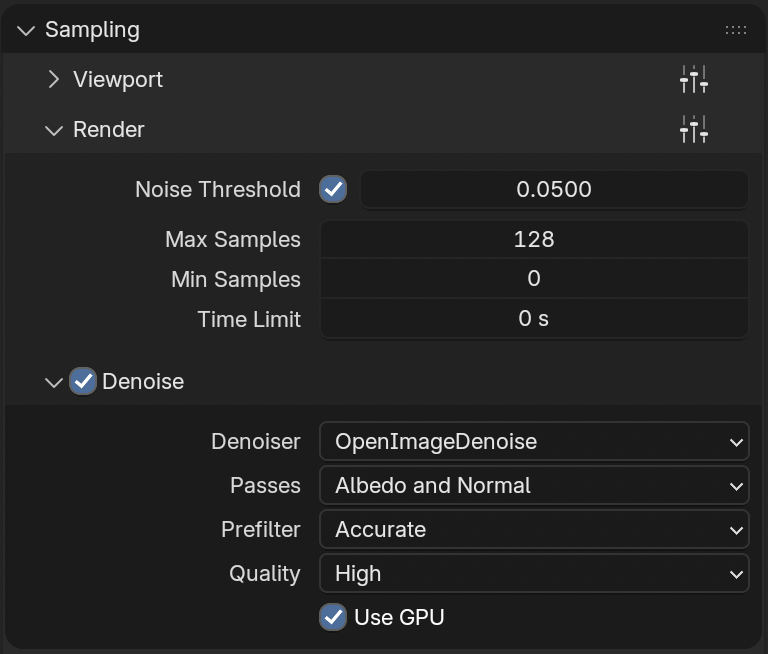
Sampling (Render)
Keep viewport fast, keep final render clean.
- Noise Threshold:
0.0500 - Max Samples:
128 - Denoise
- Device: GPU
- Quality: High
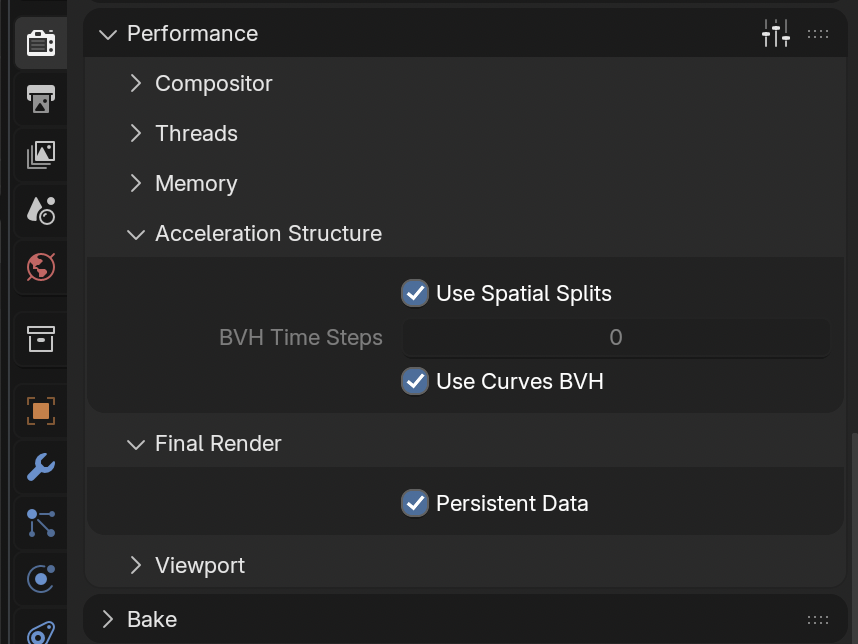
Performance
Two toggles that pay off:
- Spatial Splits: on (faster BVH traversal on scenes with large polygons)
- Persistent Data: on (skip re-syncing the scene between frames when rendering animations)
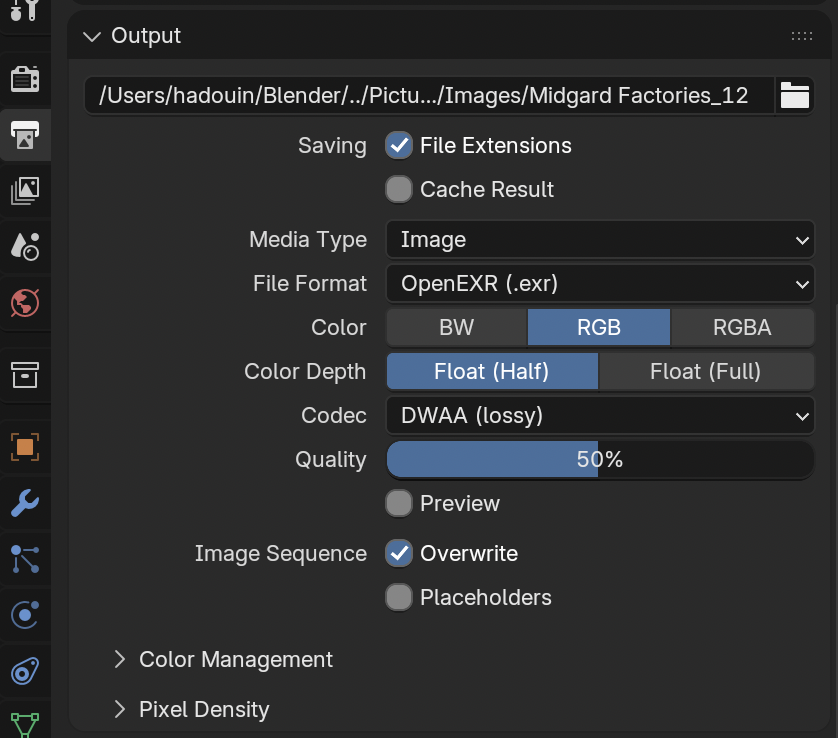
Output
For animations I render to an EXR sequence and encode later with FFmpeg. Keeps it lossless enough and lets me recompose without re-rendering.
- Format: OpenEXR
- Color: RGB
- Depth: Float (Half)
- Codec: DWAA (lossy)
- Resolution: 50%
Encode with FFmpeg
Once the EXR sequence is rendered, turn it into an mp4. EXR is linear HDR, so apply a tonemap and convert to bt709 / yuv420p for broad playback compatibility.
ffmpeg -framerate 24 -start_number 1 -i render_%04d.exr \
  -vf "zscale=transfer=linear,tonemap=hable,zscale=transfer=bt709:matrix=bt709:primaries=bt709,format=yuv420p" \
  -c:v libx264 -crf 18 -preset slow \
  -movflags +faststart \
  out.mp4
Adjust %04d to match Blender’s frame padding, -framerate 24 to your fps, and -start_number to your first frame.
That’s it. Render.